OrderAhead
A fast, private, and easy way to provide free food for pickup and delivery
Providing charitable food from food banks to those in need with Feeding America
Role
UX Design, UX Research,
User Testing, Service Design, Web Design
Timeline
3 months
Summer 2020
Tools
Adobe XD
Adobe Illustrator
Adobe Photoshop
Adobe Premiere
Miro, Asana
Team
Innovation Team at Feeding America
Dan Butt, Senior Design Manager
Intro
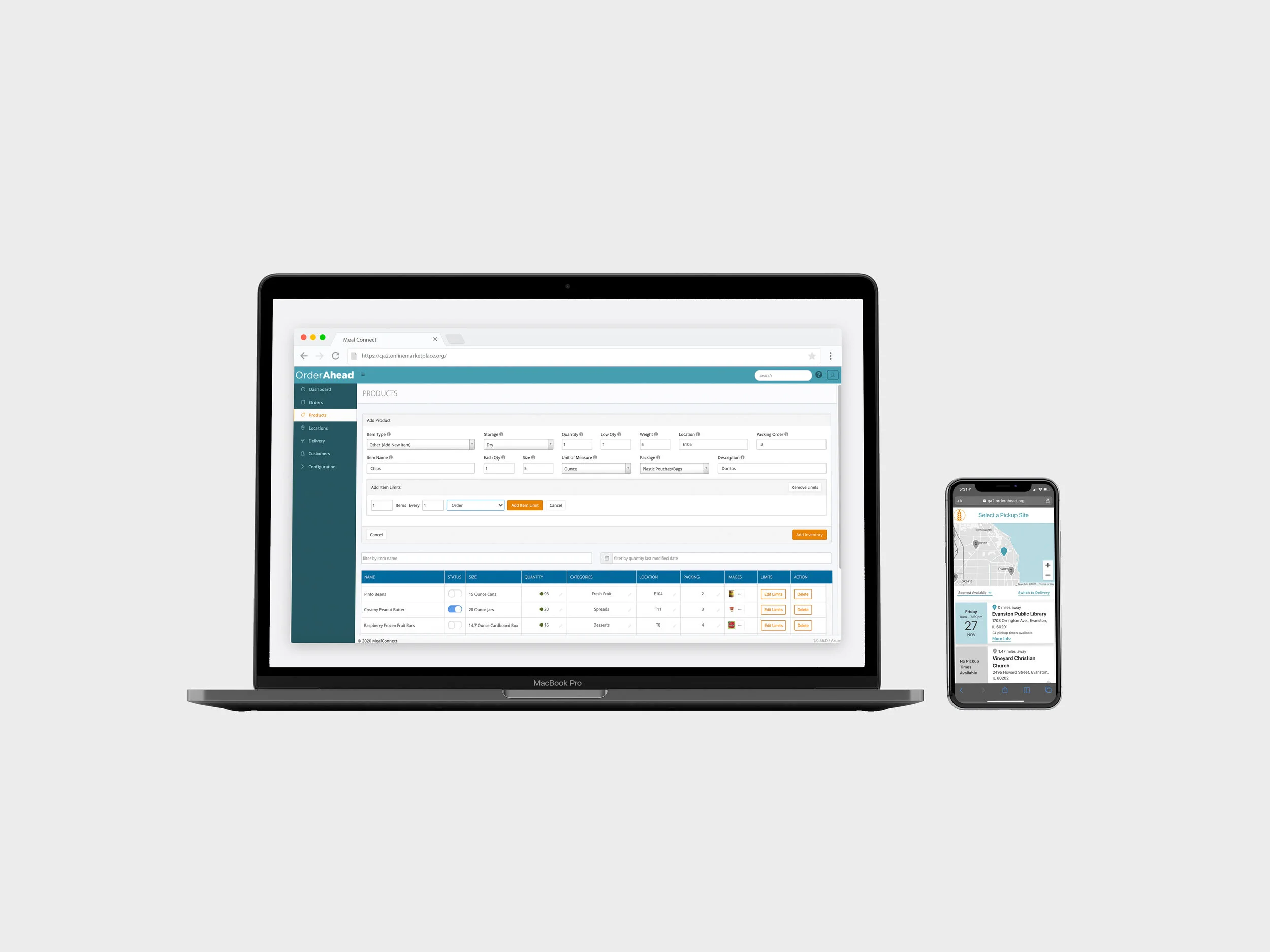
This past summer, I worked at Feeding America as a Junior Designer as part of the Innovation Team. Specifically, I worked on Feeding America’s OrderAhead mobile app and webpage, developing the documentation for a digital walkthrough to help their food bank users and managers onboard to the new digital platform.
The Problem
OrderAhead is an online grocery ordering service provided by Feeding America for those in need. Neighbors in need can shop for their groceries online and pick them up at a nearby, convenient, and discreet location, such as a local library. However, with the pandemic, it is becoming increasingly difficult to travel outside to pick up food with the risks of COVID-19. OrderAhead has developed a delivery service within their app, allowing food-insecure neighbors to receive their food via delivery if they live within a certain radius from their local food bank pickup site.
With more and more users utilizing the app, we faced the problem of users not being able to find the right information, specifically food bank program and inventory managers on the backend.
Our Challenge
As we did research and worked on iterations of the OrderAhead app, we asked ourselves questions such as :
How do we provide a way for food banks and funders to feel confident they are reaching the right target audience in ways that doesn’t turn away food insecure neighbors with stigma?
How do we provide a way for food banks to meet legal compliance for different sources of food while providing neighbors with an easy pathway to the food they qualify for and a simple user-experience?
What are the categories of qualifications for food bank users according to federal standards?
We needed to find ways to pilot Feeding America food bank customers to our digital service, OrderAhead, to increase access to charitable food for pick-up or delivery during the pandemic. In addition, we needed to onboard food bank managers to the back-end side of our OrderAhead site to allow them to regulate inventory and carry out orders easily.
The Process
Throughout the summer, I worked on both the front-end app and back-end webpage. The front-end side is a mobile app (OrderAhead) for food bank users to order delivery or pickup, and the back-end side is a webpage (Marketplace) for food bank managers to manage the inventory shown to customers on the front-end side and fulfill orders.
OrderAhead Marketplace (Back-facing Web Platform)
For the back-end side, we first analyzed the users we needed to consider, and set our goal.
Goal: to create reference materials that allow different food banks managers to find the information they need quickly and efficiently, and explains what, why, how, in succinct text and animated gifs and videos. This helps the managers to learn how to use our digital platform and onboard easily.
The Food Bank Program Manager –
• Runs special programs, serving as the point person/coordinator internally at a food bank and is the face of the organization
• Tracks and addresses order progress and problems
• Adds or updates pickup site information
• Ensures each stage of the order progress is advancing smoothly and the partners and staff have the information they need
• Assesses overall progress in order to communicate or change any aspects
The Food Bank Inventory Manager –
• Orders, allocates, and adjusts inventory to make sure there is enough supplies for different programs and agencies
• Tracks inventory orders, usage, and assesses future need
• Maintains alignment with Ceres (ERP) and pantry-facing platforms
• Adds and updates product inventory
• Easily conveys to warehouse staff what to set aside specifically for OrderAhead
Testing Features
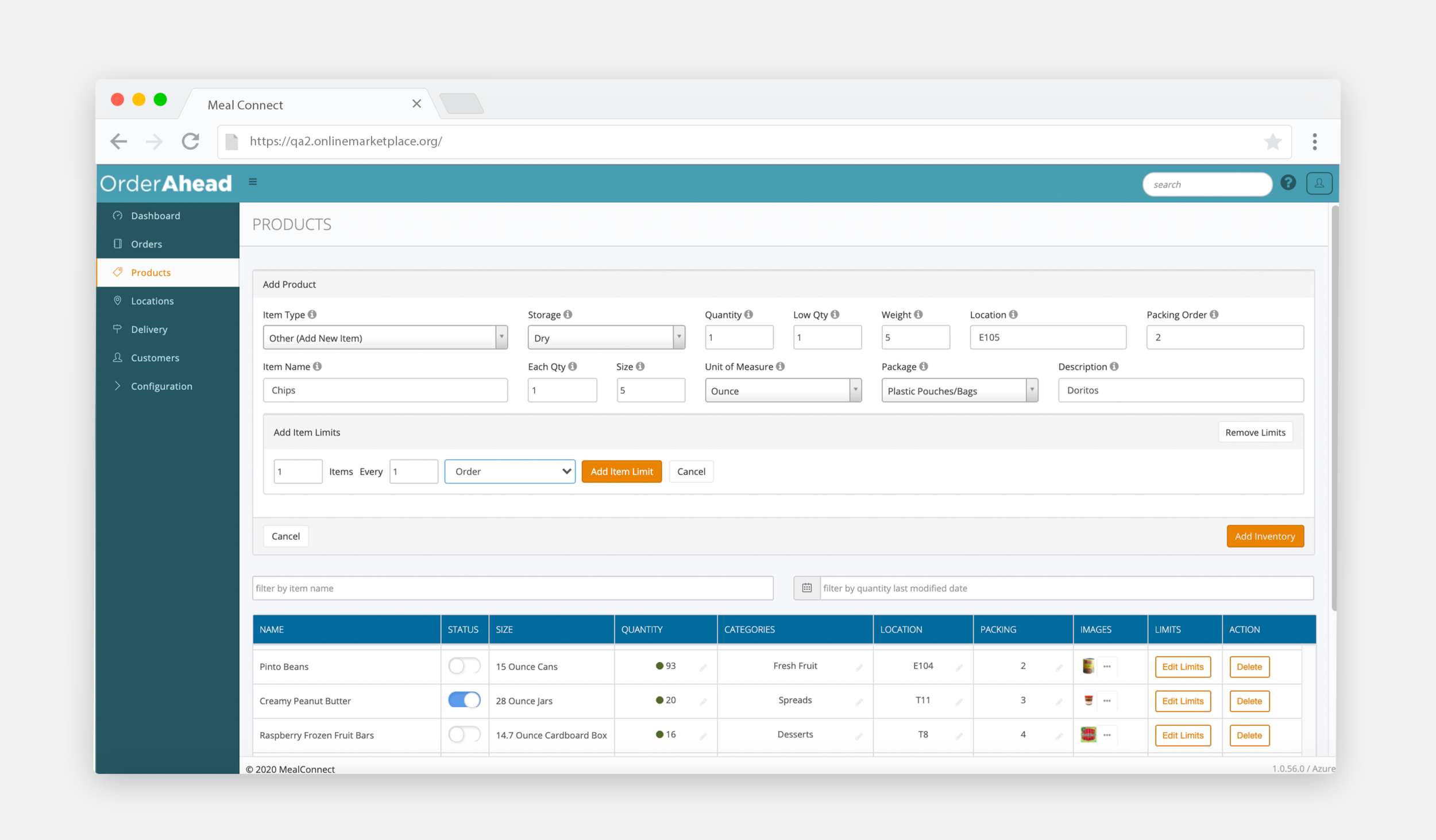
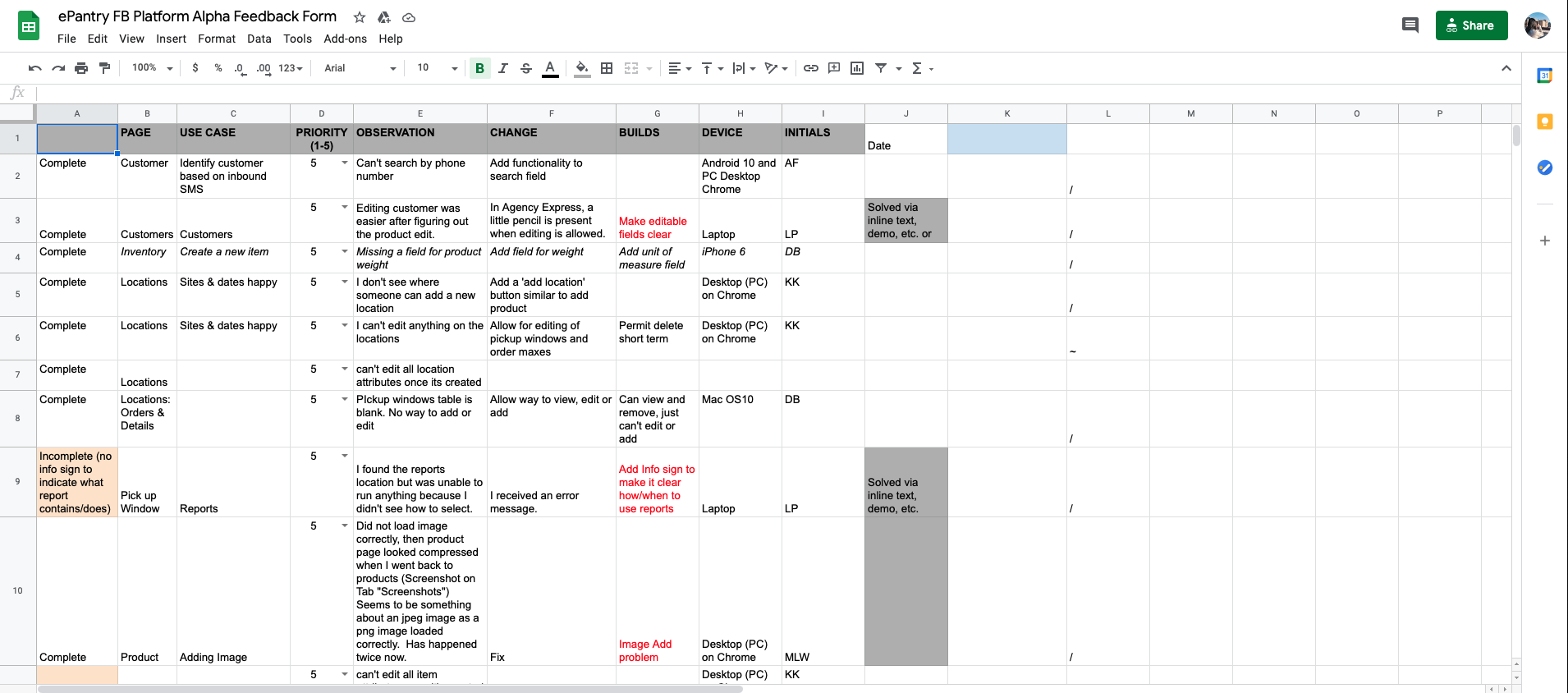
After assessing the needs of the food bank managers, I tested the existing OrderAhead Marketplace back-end site, and worked with developers to make changes to improve the site. Our goal was to have the site easily navigable by the managers with all the information organized. I reviewed the current onboarding experience, identified areas of confusion or gaps, and prototyped potential solutions to improve the flow. I assessed the current user experience and recorded bugs and issues in a spreadsheet and relayed my findings to the developers.
Product Library
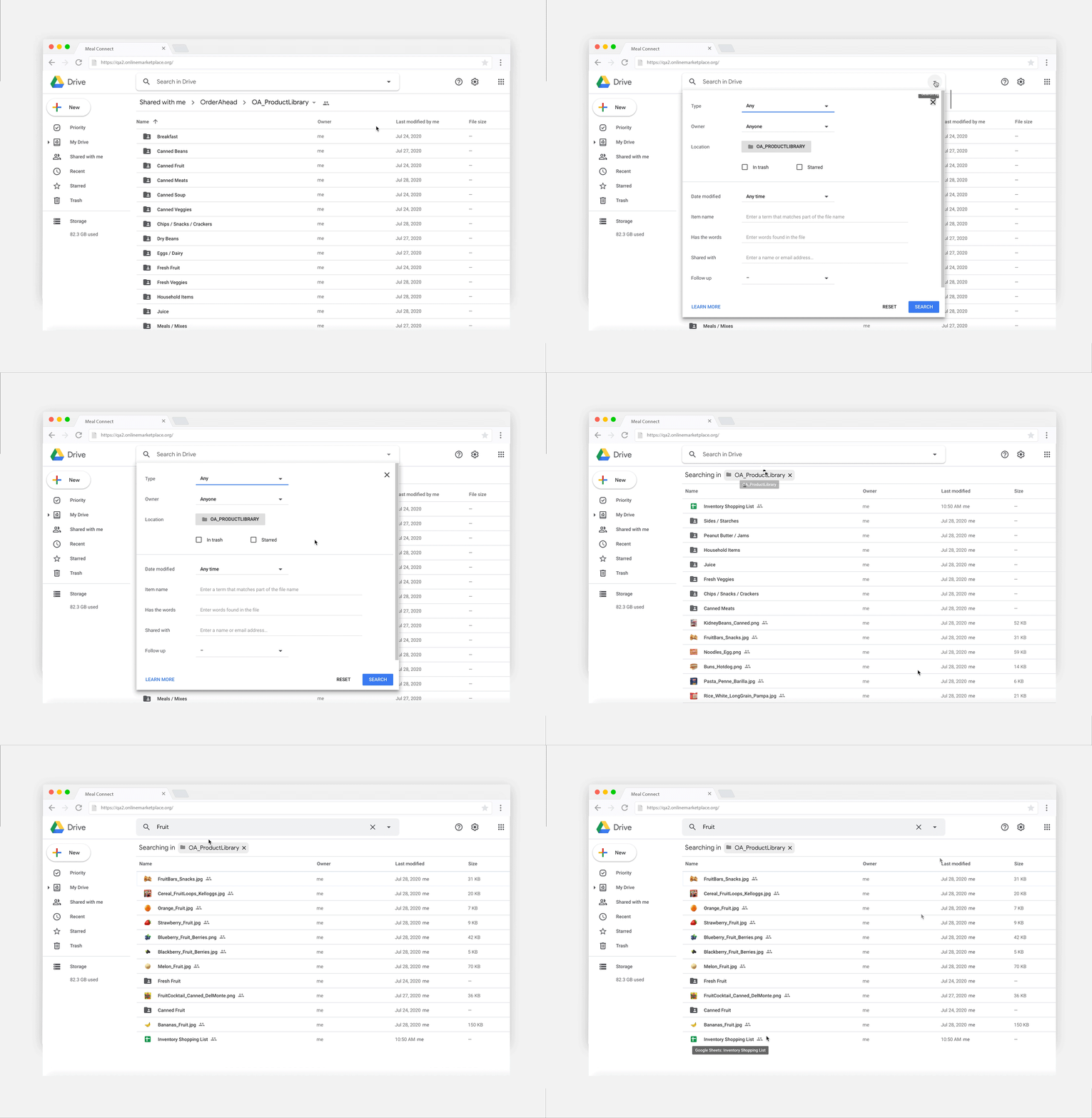
I also developed an inventory product library that is easily searchable and organized. Many of the products distributed at food banks were not available on the site, so I updated the inventory with different grocery products and brands to give customers various options when selecting their groceries. I collaborated with one of Feeding America’s partners to source images to fill the gaps of current products and created a database of royalty-free product images that can be downloaded and updated in the OrderAhead Marketplace to be viewable to OrderAhead customers on their app. I also tagged each of the pictures so they can be searchable and found easily within the database, and edited the images in Photoshop so they are all uniform in color, background, and size.
User Manual
I created this user manual with numerous gifs and images detailing the different features of the back-end OrderAhead Marketplace site. This is to help product and inventory managers at food banks easily onboard to the site and troubleshoot any issues that may arise easily.
OrderAhead App (Front-facing Mobile App)
Wireframing & User Flow
For the front-end side, the designers at Feeding America had already come up with a few screens. My task was to map out the screens and design the user flow, which I performed through Miro and Adobe Illustrator. I decided to categorize the user flow into 5 different categories, from Selecting a pickup location and time → Starting a new order/shopping for items → Signing In / Creating an Account → Placing order → Managing Orders and Profile.
Food Sourcing Research
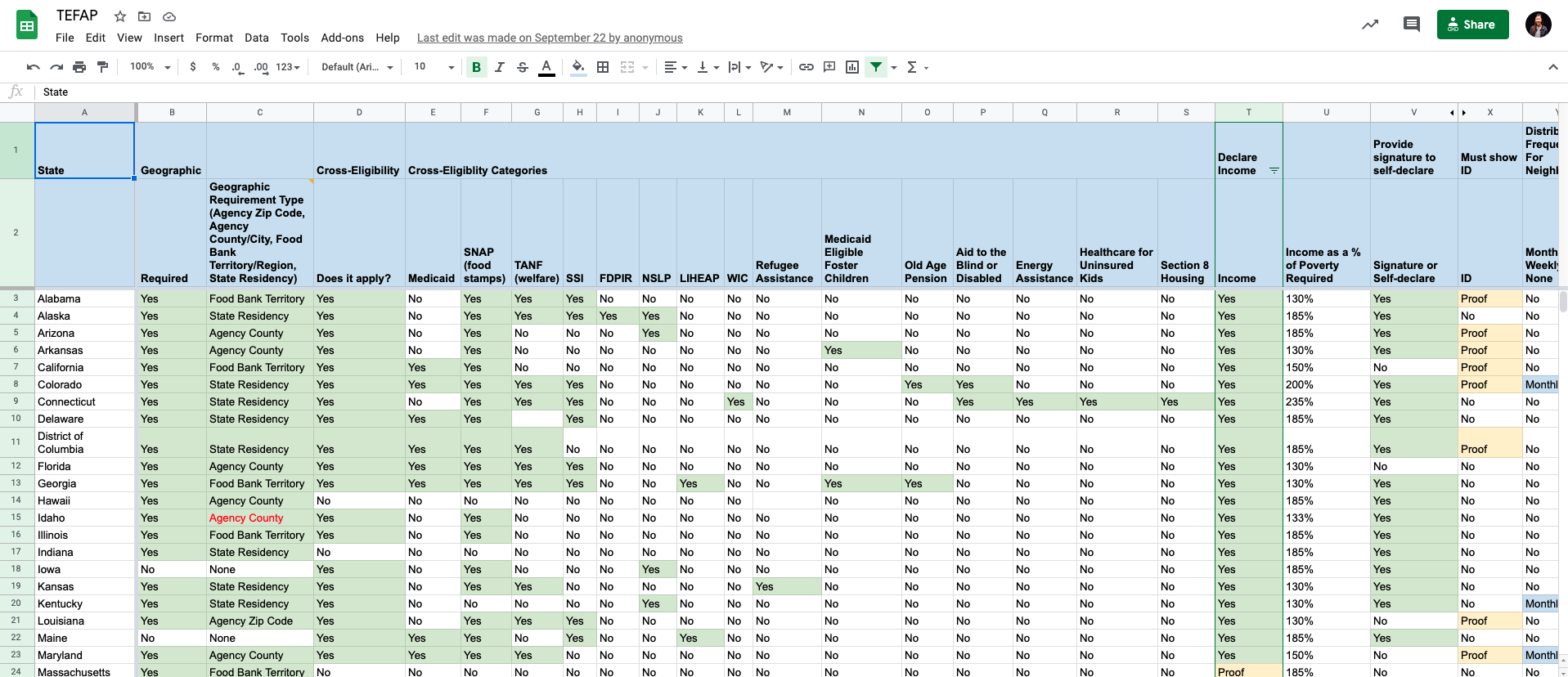
I did some quantitative research and compiled a list of food banks across the U.S. and a table based on federal regulations and standards of the Emergency Food Assistance Program (TEFAP) used to determine if users are eligible to receive food from food banks. The information is specified by state that can be read as a database, with categories such as income, geography, identification, and other eligibility requirements. This information is used by the developers within the app to provide the correct inventory and control pick-up frequency for users. For example, in some states, food bank users are only allowed to receive food from food banks once a month; based on the input of a user’s location, we can regulate the amount of times they are allowed to order from our app in a month.
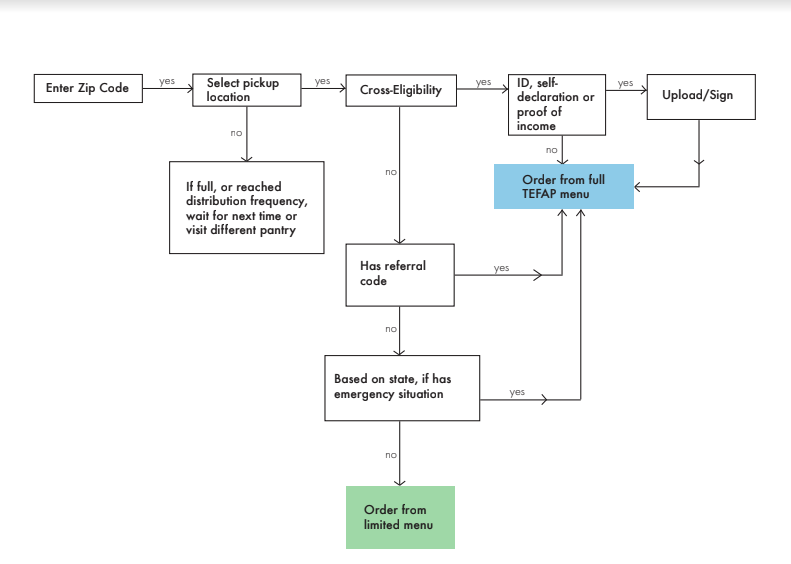
I then mapped out a new user flow based after researching the regulations, and incorporated this information into the app. Different users would be directed to limited items based on their eligibility and area/state they live in.
Testing and Review
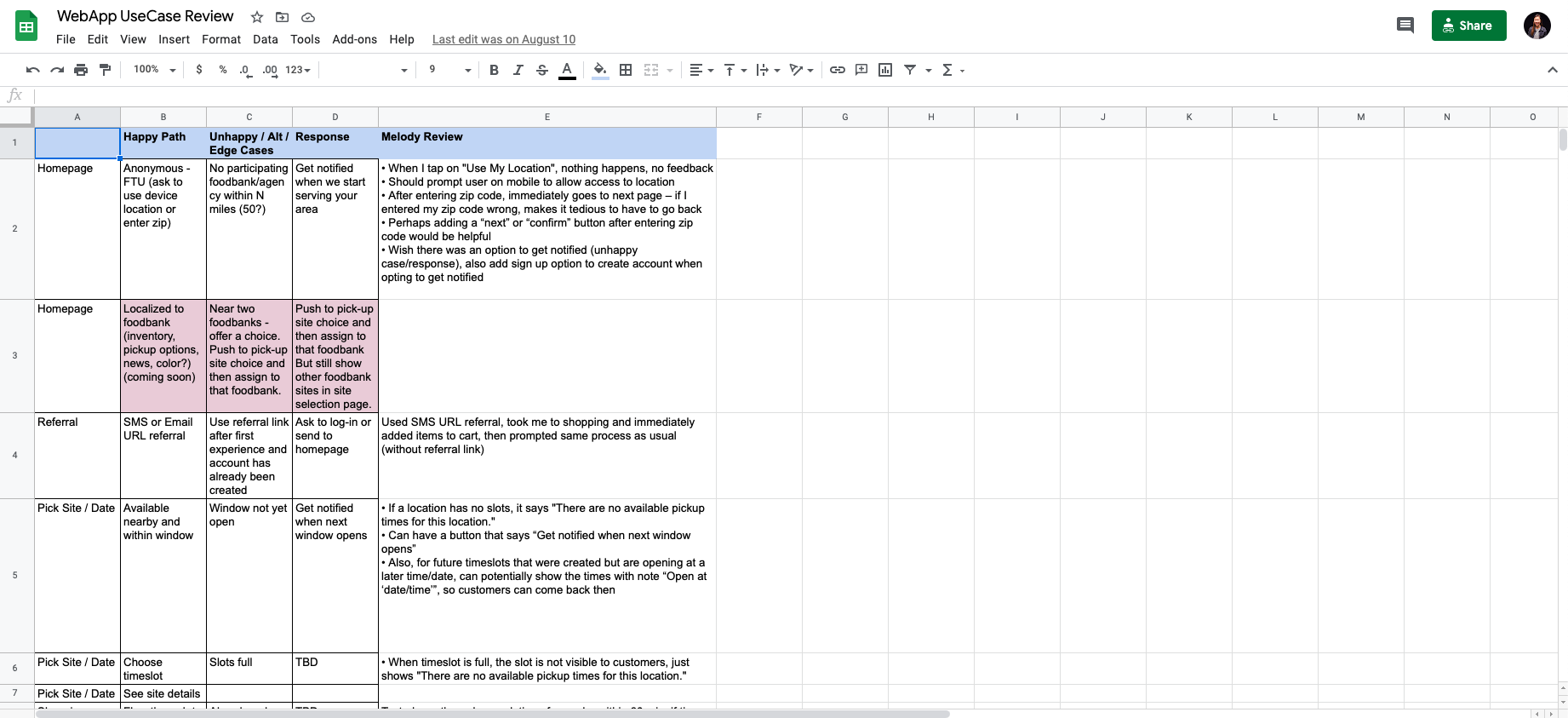
Before conducting user testing, I went through the OrderAhead app to make sure that there weren’t any bugs, and analyzed the app to see if there were any user experiences that could be improved. I then documented my findings in a table to share with the developer team and categorized my findings based on urgency. I also reviewed alpha/beta feedback and identified key areas for future enhancement. The observations were then fixed by the developers, and then we moved on to user testing.
User Testing
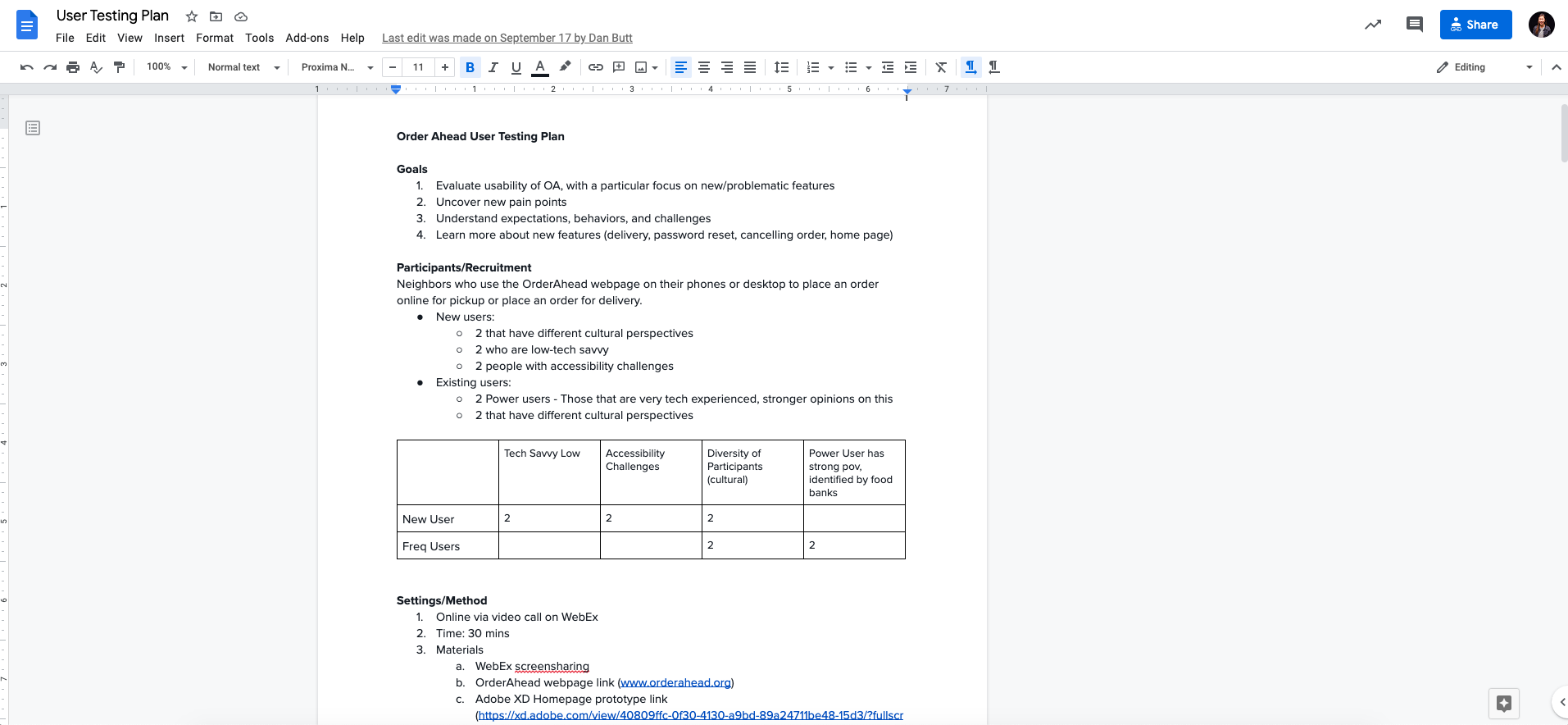
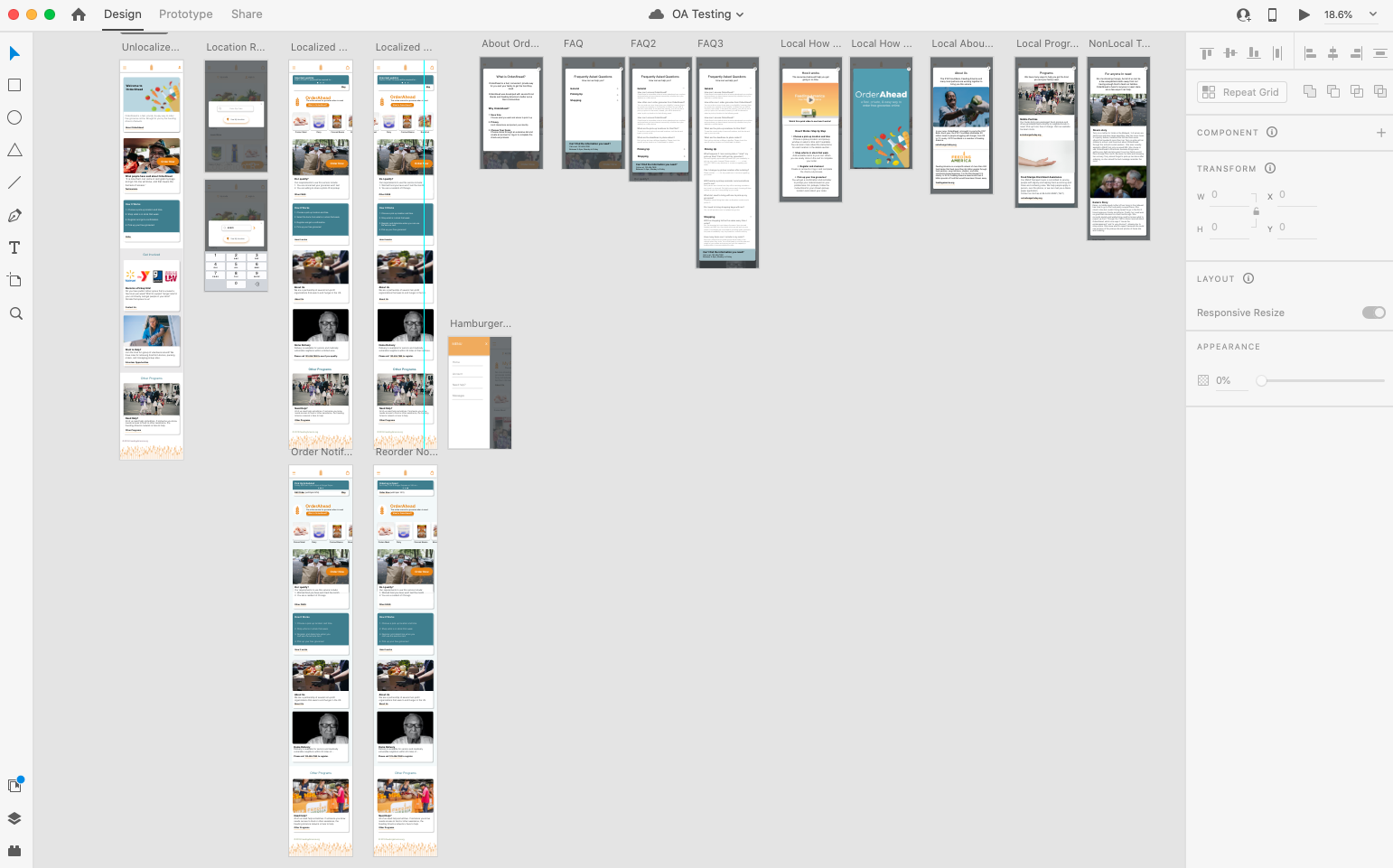
For user testing, I first developed a research plan, detailing my goals, method, and which users I intended to recruit to participate. Although our team was based in Chicago, we reached out to food banks in Ohio and Texas to recruit participants. The food banks there gave us contact info for frequent food bank users and we contacted them by email and phone. At this point, we had a working site/app to let users use, but I also prototyped a new home page on Adobe XD. We were planning on implementing a new home page with more information, and wanted users to test it to see if they preferred that over the current home page. Our goal was to uncover new pain points with the current OrderAhead site and new home page, and understand expectations and challenges of the users, especially with new features such as delivery, managing orders, and resetting passwords.
We then conducted 30-minute interviews and tested both the live OrderAhead site and virtual prototype on Adobe XD, recording the users’ feedback as we walked them through the OrderAhead experience. We tried to interview both existing users and new users with different technology skills and cultural backgrounds, to understand potential difficulties and challenges they might encounter as they use our app. After conducting the interviews, I synthesized research takeaways and summarized my key findings and implications.
Final Thoughts & Takeaways
I really enjoyed this internship experience and I think it was an especially meaningful experience for me to develop my skills in design thinking, user research, testing, and empathy. I had the opportunity understand the users we were designing for that I have not interacted with before through user research and interviews, and design for a bigger purpose, especially during the difficult time of the pandemic. Although this internship was remote, it helped me learn to self-motivate myself even more, and work both independently and collaboratively with the senior manager. I worked independently to meet deadlines and turn in deliverables, and collaborated with the senior manager and others on the innovation team through weekly meetings to discuss daily tasks and develop the user testing plan.